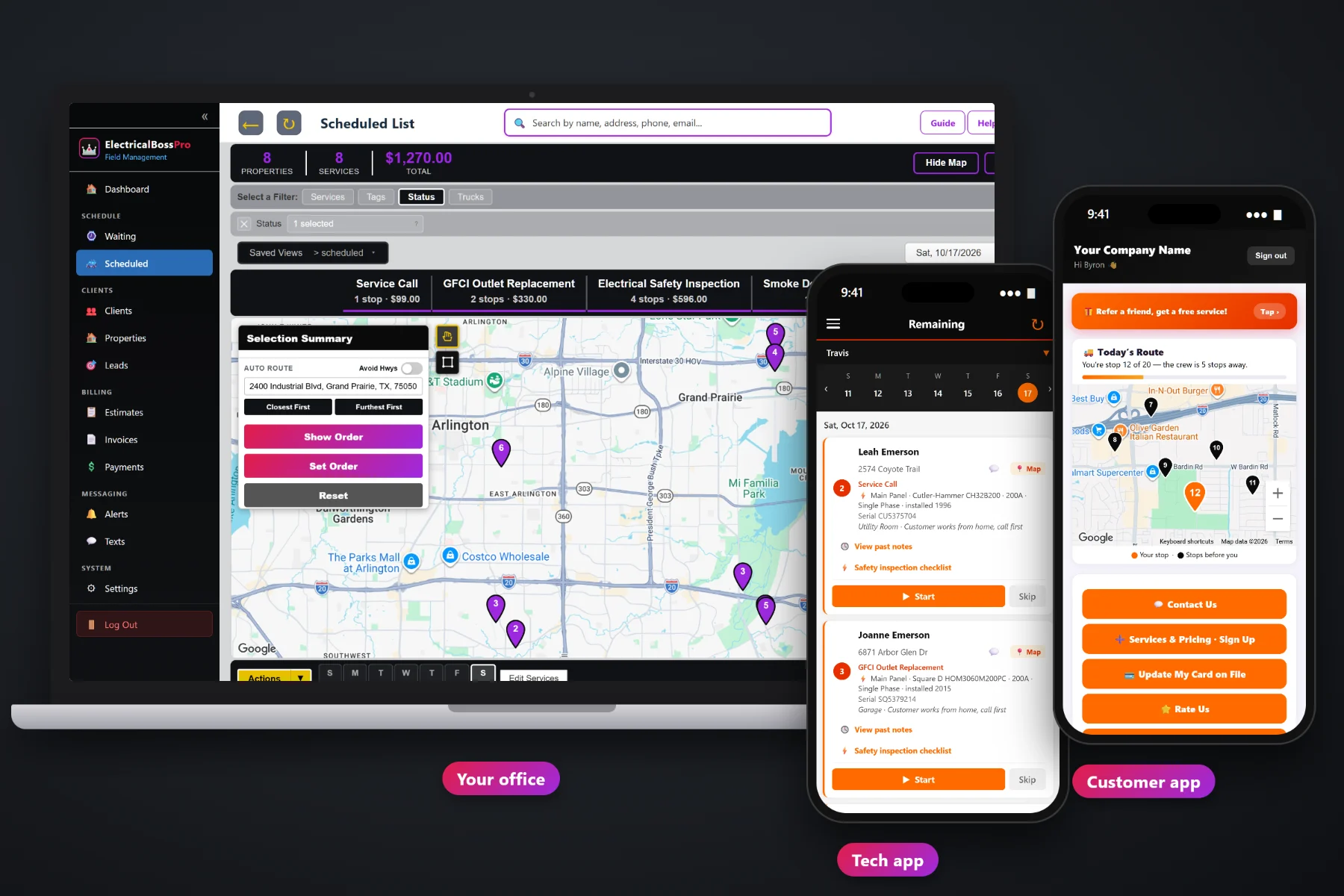
Most small electrical shops are not short on work. They are short on the hours it takes to turn finished work into money: writing the invoice, adding the tax, mailing it, waiting, and calling about it three weeks later. ElectricalBossPro builds the invoice from the job, with line items and sales tax, and can charge the card on file the moment the tech taps Complete. Customers can pay online from the customer app, maintenance plans bill on their own, and property managers get one monthly statement for every address.
Plans start at $59/month, and invoicing and payments are part of every plan. Line items, sales tax, card on file, charging at completion, scheduled auto-charge, online payment and past-due follow-up come with the platform, not as an add-on. To see how billing fits with scheduling, the tech app, estimates and the equipment saved on every house, start at ElectricalBossPro and then dig into the money side here.
The services on the job become the line items on the invoice. Nobody retypes a GFCI replacement from a carbon copy.
Set your tax once and it lands on every invoice the same way, so the totals the customer sees are the totals you meant.
Save the customer's card once. Service calls, inspections and generator visits can be charged without asking for it again.
When the tech taps Complete, the invoice is created and the card on file can be charged before the van backs out.
Customers see their invoices, pay online and update their own card, without calling the office to read numbers aloud.
A property manager or retail account set to Monthly gets one statement covering every address, each line labeled.
The estimate already listed the services. The approved estimate became the job. The tech did the work and tapped Complete. ElectricalBossPro carries those same lines onto the invoice, adds the sales tax and charges the card on file if there is one, so the paperwork that used to wait for Friday night is finished in the driveway.
You did not get your license to become a bookkeeper. ElectricalBossPro asks you to set up your services, your tax and how each customer pays, and then it does the repetitive part on every job. Your techs only tap Complete.
Service calls, GFCIs, breakers, fixtures, EV charger installs, panel upgrades, generator maintenance, at your own prices.
Set sales tax once. Mark each customer as charge-at-completion, scheduled auto-charge or Monthly statement.
Cards come in from the sign-up form, the customer app or the office, and stay on the client for every visit.
The invoice is built with line items and tax, the card is charged, and the office sees what is paid and what is open.
Paper invoice books, spreadsheets and generic field-service software all leave the same gap: the job is finished on Tuesday and the invoice goes out whenever the office catches up. Every day in that gap is a day the money is in someone else's account.
Ask any electrical shop owner where the week goes and billing is near the top of the list: a stack of job tickets on the passenger seat, an invoice typed up at the kitchen table, a check that never showed up, and a property manager asking which of their twelve addresses a bill was for. A deposit nobody remembers taking. A generator customer who was supposed to be billed every year and was not.
That work belongs in the software, not in your evenings. When the invoice is built from the job and the card is charged at completion, the money comes in on the day the work is done and the follow-up only covers what is genuinely late.
ElectricalBossPro keeps the estimate, the job, the invoice and the payment in one place, from the first service call to the paid statement.
Every tool here exists to shorten the time between finishing the work and having the money, with less paperwork and fewer calls about bills.
Each service on the job shows as its own line, at the price from your service list.
Set once and applied the same way on every invoice.
An approved estimate becomes the scheduled job, and the job becomes the invoice, without retyping.
Saved on the client and used for service calls, inspections and maintenance visits.
Complete in the tech app creates the invoice and can charge the card right away.
Customers set up for scheduled billing are charged without anyone pressing a button.
Customers see invoices and pay from the customer app on their phone.
Customers update an expired or replaced card themselves in the customer app.
Open invoices get followed up so the office is not making every reminder call by hand.
Bill part of a panel upgrade or generator install up front as a separate invoice or line.
Yearly safety inspections and generator maintenance come due and bill on their own schedule.
One statement per month for property managers, gyms and retail chains, each line labeled with the address.
Automated reminders and alerts by text and email, plus two-way texting with the office.
See what was billed and what came in without rebuilding it in a spreadsheet.
Works in the US, Canada, Australia, New Zealand and the UK and bills customers in their own currency.
Start $59, Pro $89 and Crew $199 per month, with billing on every plan.
Billing in ElectricalBossPro starts long before the invoice. Services are priced on the estimate, the approved estimate becomes the job, recurring inspections and generator maintenance come due on the Waiting List, and the dispatch board puts each job on a van. When the tech taps Complete, the invoice is created and the card is charged, and the office sees which jobs are paid and which are still open. For the full walkthrough, read Electrical Invoicing Software: The Complete Guide to Billing and Getting Paid for Electrical Work.
Homeowners want to know what they paid for and pay it without a phone call. The customer app shows their invoices with every line, lets them pay online, and lets them update their card when it expires. It also shows today's route on a live map, takes service requests and sign-ups for plans like yearly generator maintenance, and sends the alerts they choose. Replies come back to the office through two-way texting.
Pick the plan that fits your shop. Every plan starts with a 14-day free trial and no credit card.
Compare plans on the pricing page.
From the job. The services on the job, which usually came from the approved estimate, become the line items, and your sales tax is applied. When the tech taps Complete in the tech app, the invoice is created and the card on file can be charged right then.
Yes. Customers see their invoices in the customer app and can pay online from their phone. They can also update their card there when it expires or is replaced.
Bill the deposit as its own invoice or line item when the customer approves the work, then bill the balance on the final invoice when the job is complete. Both live on the same client, so the office can see what was paid up front and what is left.
Yes. Set the account to Monthly and they get one statement each month covering every address, with each line labeled with the address the work was done at.
ElectricalBossPro follows up on past-due invoices, so the office is not writing every reminder by hand. Customers can pay from the customer app as soon as they see the reminder.
Start is $59/month, Pro is $89/month, and Crew is $199/month. Invoicing and payments are on every plan, and every plan starts with a 14-day free trial with no credit card.
Billing is one piece of how ElectricalBossPro runs an electrical company. For the equipment saved on every house, the safety inspection checklist, scheduling, the tech app and estimates, see the full ElectricalBossPro platform overview.
Practical reading on line items and sales tax, card on file, charging at completion, scheduled auto-charge, online payment, past-due follow-up, deposits on big installs, maintenance plan billing, monthly statements, cash flow and reports.
Invoices built from the job, sales tax applied, the card on file charged at completion, online payment in the customer app and one monthly statement for every property manager. Try ElectricalBossPro free for 14 days.